Cancel order items
Request cancellation for the products you no longer need.
YOUR ALL-IN-ONE FULFILLMENT WORKSPACE
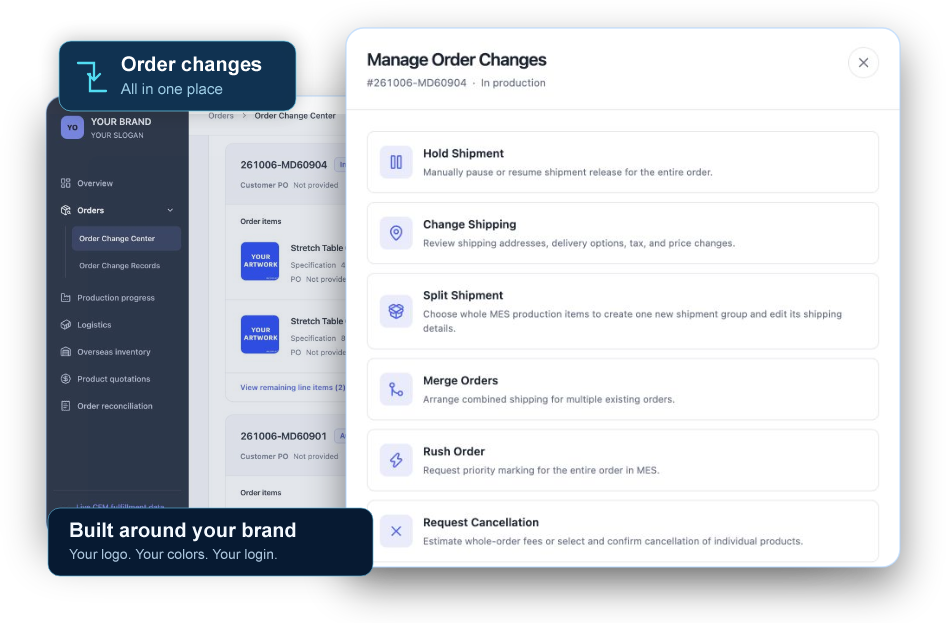
Manage order changes, track production and shipments, and check overseas inventory in one customizable workspace, built around your brand.
No API integration. No system to build.
MEET YOUR WORKSPACE
Take a two-minute look at a workspace built around the way your team manages CFM orders.
The CFM Workspace product tour · English audio and on-screen captions
01 / ORDER CHANGES
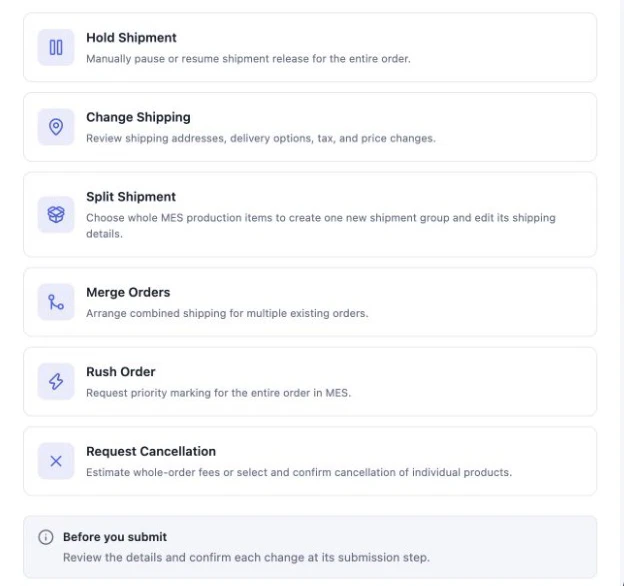
Five types of order changes. One place to manage them.
Request cancellation for the products you no longer need.
Review and request updates to shipping and delivery details.
Request combined shipping or arrange separate deliveries.
Request a shipment hold, then resume when your plans are settled.
Submit a request for priority handling when an order needs extra attention.
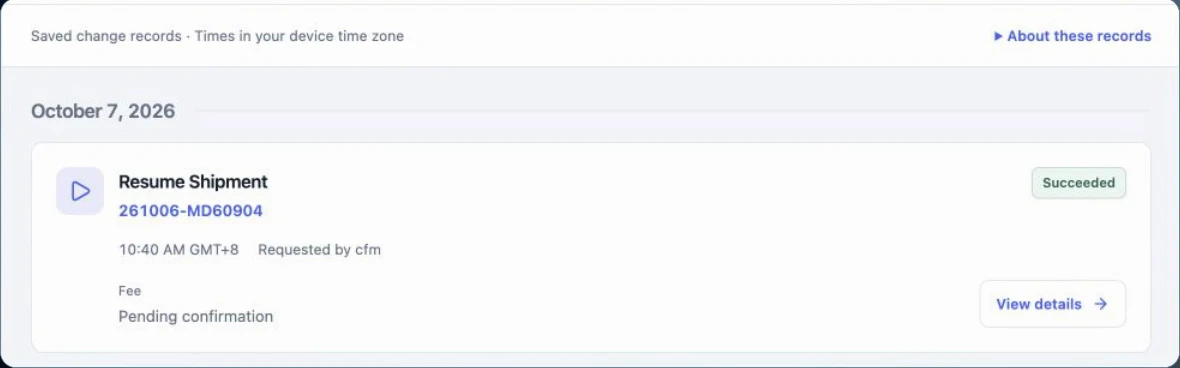
A CLEAR RECORD OF EVERY ADJUSTMENT
Keep your requests and their outcomes together. Return to your change records to check the status and review the details.
02 / FOLLOW THROUGH ON FULFILLMENT
Check stock, production, and shipment information alongside your day-to-day order work.
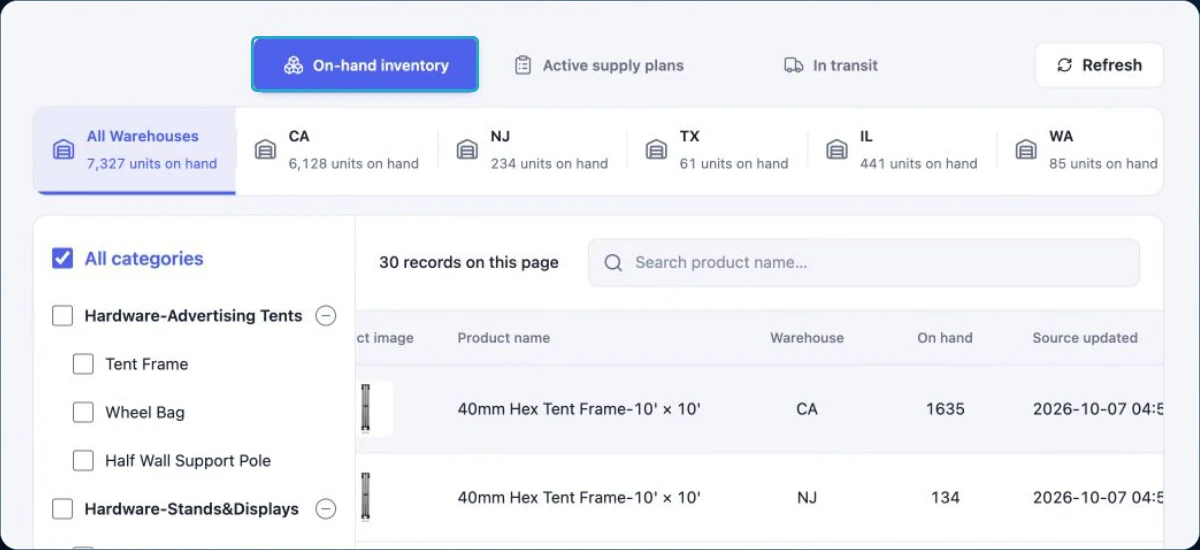
OVERSEAS INVENTORY
View overseas warehouse inventory, replenishment plans, and goods in transit to support your stocking and delivery plans.
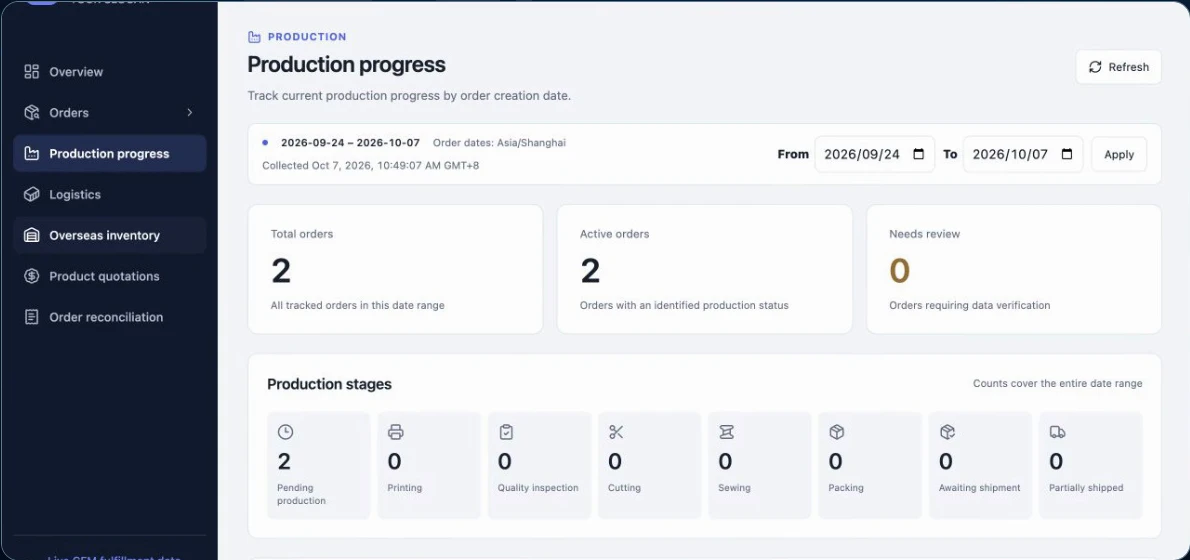
PRODUCTION PROGRESS
Review the available production stages and stay informed about the next steps for your orders.
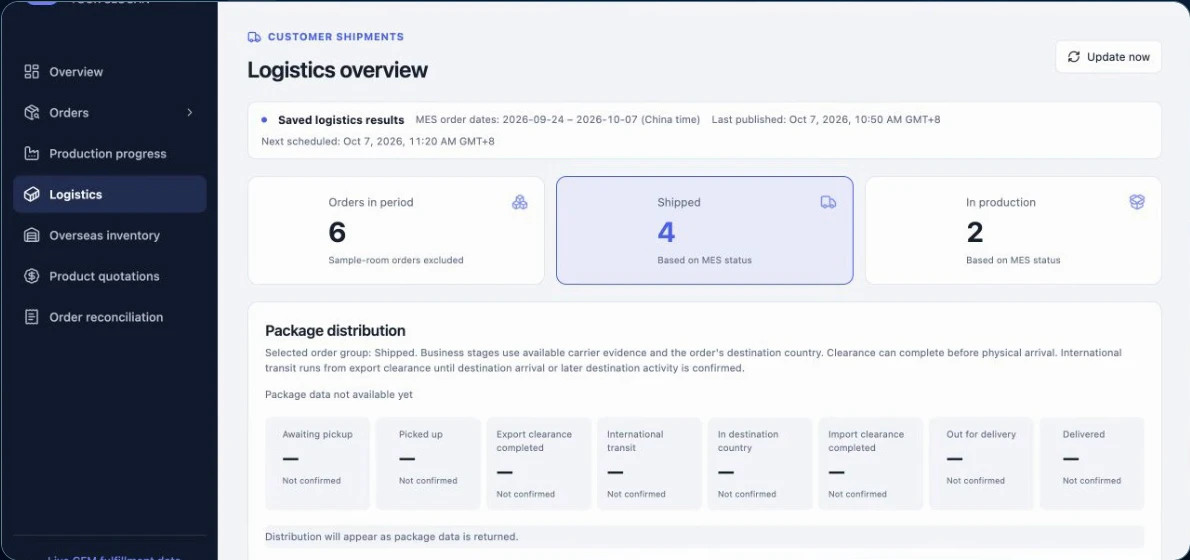
SHIPPING PROGRESS
Check shipment status and available logistics updates from the same workspace.
03 / MAKE IT YOURS
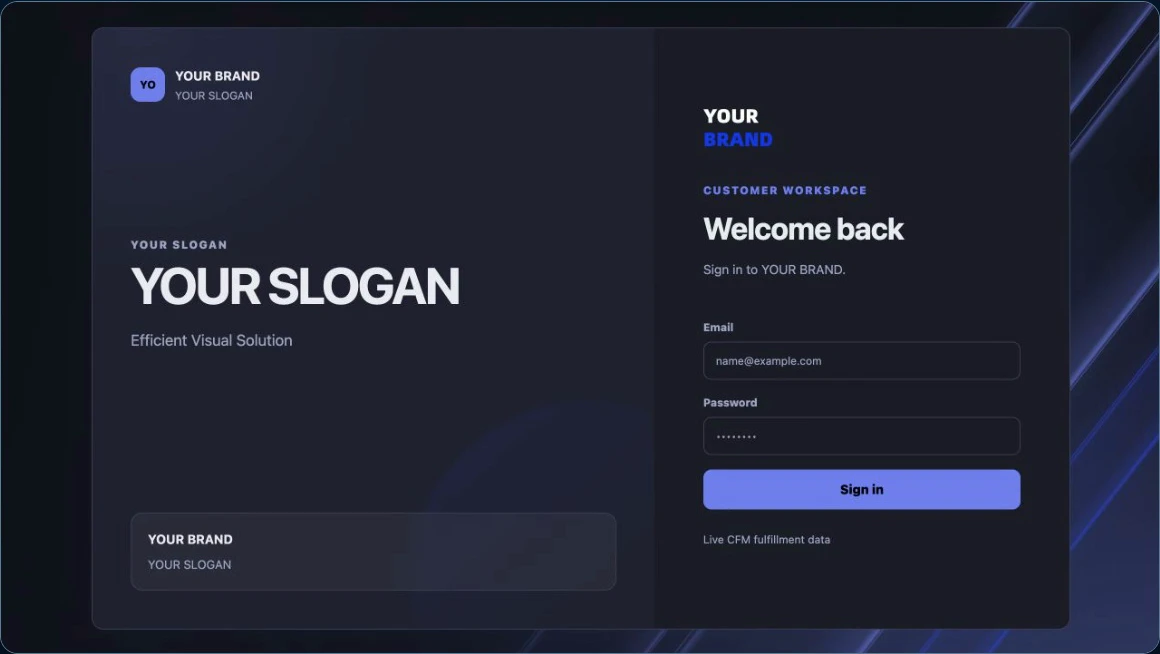
Give the workspace your team uses every day a familiar identity, from the first sign-in.
CONTACT CFM
Contact your CFM representative to get started with your branded workspace.
No development required. Ready to use.